Shishi
From everyday capture to a desktop companion
Sep 2026 – present
I designed and built a voice-and-text activity journal that grew into a Windows desktop companion for recording, planning, and focus. More than a dozen friends are now using it.
Product design & full-stack development
TypeScript / React · Electron · Workers / D1 · AI integration
Research question
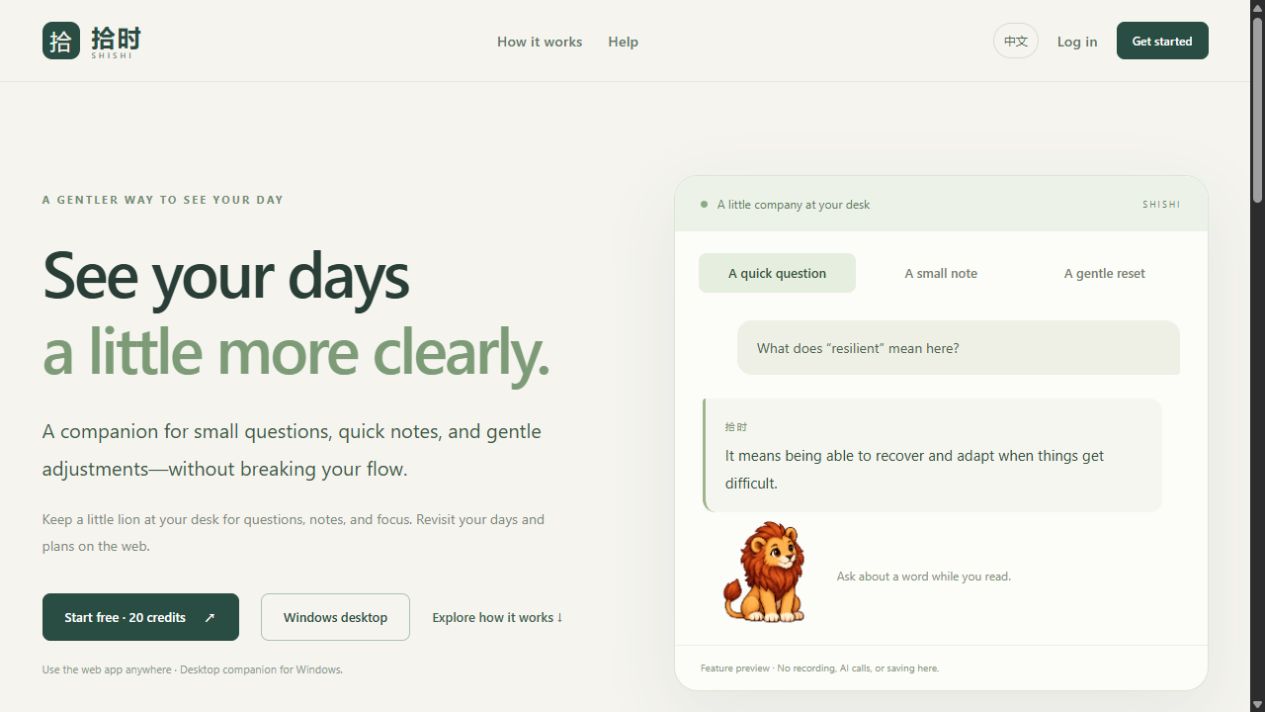
Recording everyday activity should take less effort than reconstructing it later. I started Shishi with a small interaction: say or type what happened, review the structured result, and return to the day. I gradually expanded it from a personal web tool into a multi-user service and Windows companion, keeping capture and correction close at hand.
My contribution
- I designed the product around low-effort capture, editable records, lightweight plans, and review; extended the workflow to a desktop companion with focus timing and quick access.
- I built the React and TypeScript web interface, Workers APIs and D1 data layer, then integrated an Electron desktop client with account pairing and synchronization.
- I also handled the work needed to run the product: provider integration, usage limits, failure recovery, user isolation, local acceptance, and versioned Windows delivery.
Technical approach
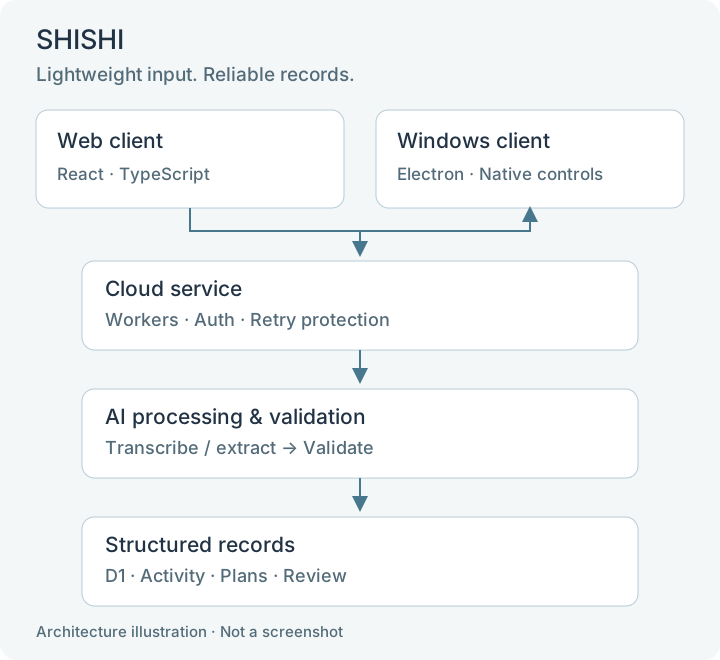
- Shared capture pipeline: voice is transcribed and text enters directly; both converge on a recording service. A language model extracts structured intent and time expressions, while Temporal and Zod handle time conversion and validation before database writes.
- Reliable state changes: request identifiers and transactional writes protect retries from duplicate records. Ambiguous time remains available for user review. Draft recovery and account-scoped queues address interruption and account changes.
- Desktop integration: Electron provides the companion window, tray, and focus tools. Sandboxed renderers use a restricted IPC interface; a short-lived, same-account pairing flow connects the web and desktop experiences.
- Cloud boundary: Workers manages authentication, model access, and usage budgets; D1 stores structured records. Provider credentials remain on the server. Regional AI routing makes service availability and cost explicit engineering concerns.
Results & outcomes
- I released the first version on September 16, 2026, and shipped version 0.4.1 with the Windows desktop app on September 28.
- I have shared Shishi with more than a dozen friends who are now using it. I want to learn where it helps in their daily routines and where the experience still needs work.
- I took Shishi from a tool for my own daily notes to a web service and desktop app for other people, working across product design, frontend and backend development, and release maintenance.
Product decisions: keep the interaction small
I let a record represent a time interval, a moment, or a note without a known time, and keep plans separate from completed activity. I wanted the product to accept incomplete input without asking people to invent precise timestamps.
I added the desktop companion to make recording and focus controls easier to reach. I limited reminder frequency, made recording an explicit user action, and chose not to monitor screen content, application activity, or keyboard input.
Engineering decisions: make AI output correctable
Natural-language interpretation and reliable storage have different responsibilities. I use models for extraction, then explicit validation, authentication, and transaction rules for state changes. This makes errors visible and gives retries a defined behavior.
Once friends started using Shishi, I also had to think about how to update it reliably. I use local previews and acceptance checks before release, keep versioned builds and rollback records, and continue refining the product as I learn from its use.